

How to install VirtuCamera plug-in in Foundry® Nuke® software
VirtuCameraNuke is provided as a Python Nuke® plugin. Please follow these simple steps:
1. Unzip the archive, you can download it from the Home page.
2. Copy the contents of the archive: a folder named virtucamera_nuke and two files named init.py and virtucamera_nuke_plugin.py
3. Paste them in one of the following directories, depending on your operating system.
Windows: C:/Users/<username>/.nuke/
MacOS: /Users/<username>/.nuke/
Linux: /home/<username>/.nuke/
4. Open Nuke, in any pane bar, press the right click to open a new tab, then press Windows, then press Custom and then press VirtuCamera:
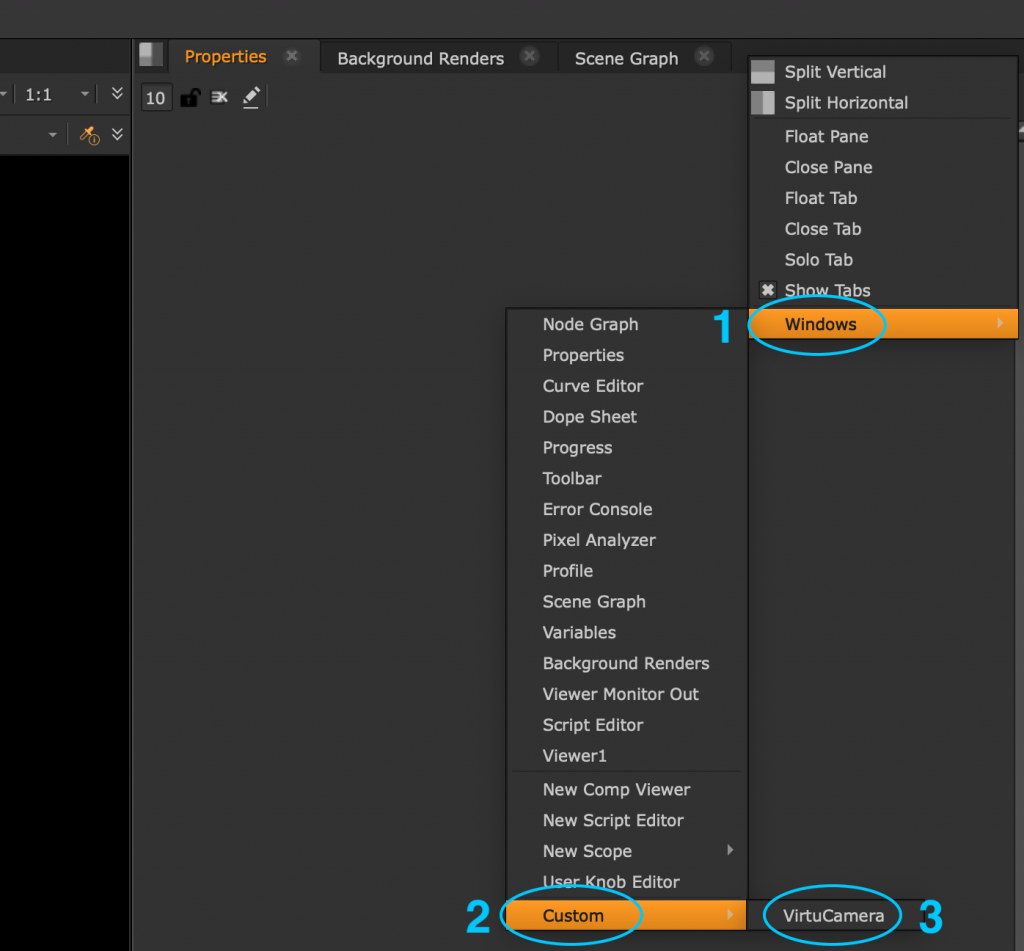
Done! you should have a new pane with VirtuCamera ready to be used.
How to start using VirtuCamera
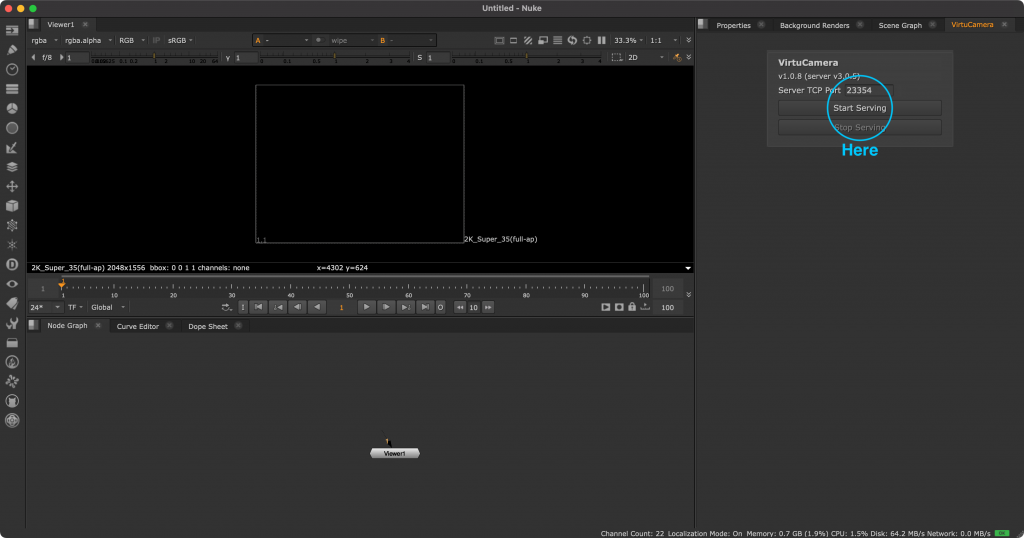
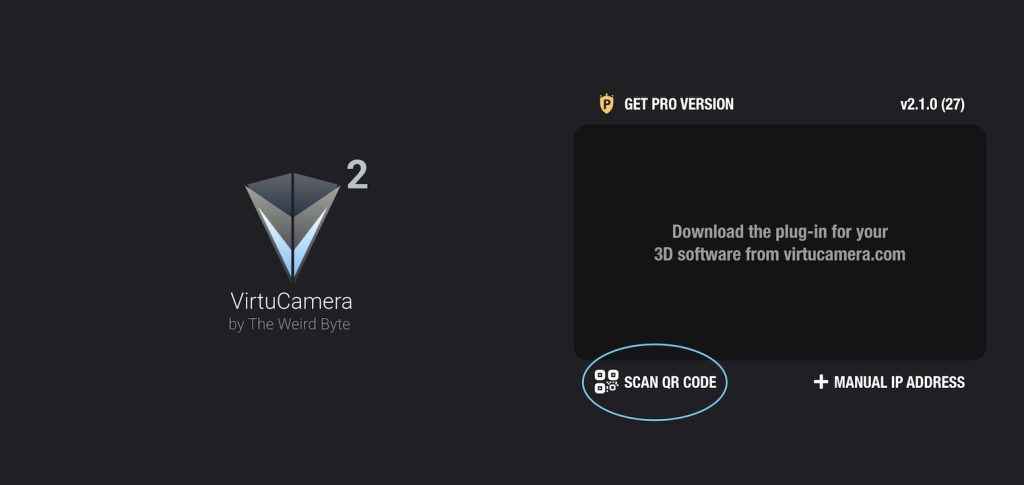
After clicking on “Start Serving”, if your computer doesn’t show up in the app, connect using the “Scan QR Code” button from the App and scan the QR-Code shown in the plug-in.
Make sure that your device is connected to the same network as your desktop computer.
Foundry, Nuke and the Nuke logo are registered trademarks or trademarks of The Foundry Visionmongers Limited, and/or its subsidiaries and/or affiliates in England and/or other countries.
Privacy Policy · Terms And Conditions · Cookie Declaration